Key Takeaways
1. An access control system is a security solution that regulates who can enter or access specific areas within a building or facility.
2. An access control system works by verifying an end-user’s identity and determining whether they’re allowed to enter a specific area, physically or digitally.
3. Great Valley Lockshop offers advanced keyless door locks, tailored installation, and hands-on support to help businesses choose the right access control system.
What’s the Working Mechanism Behind an Access Control System?
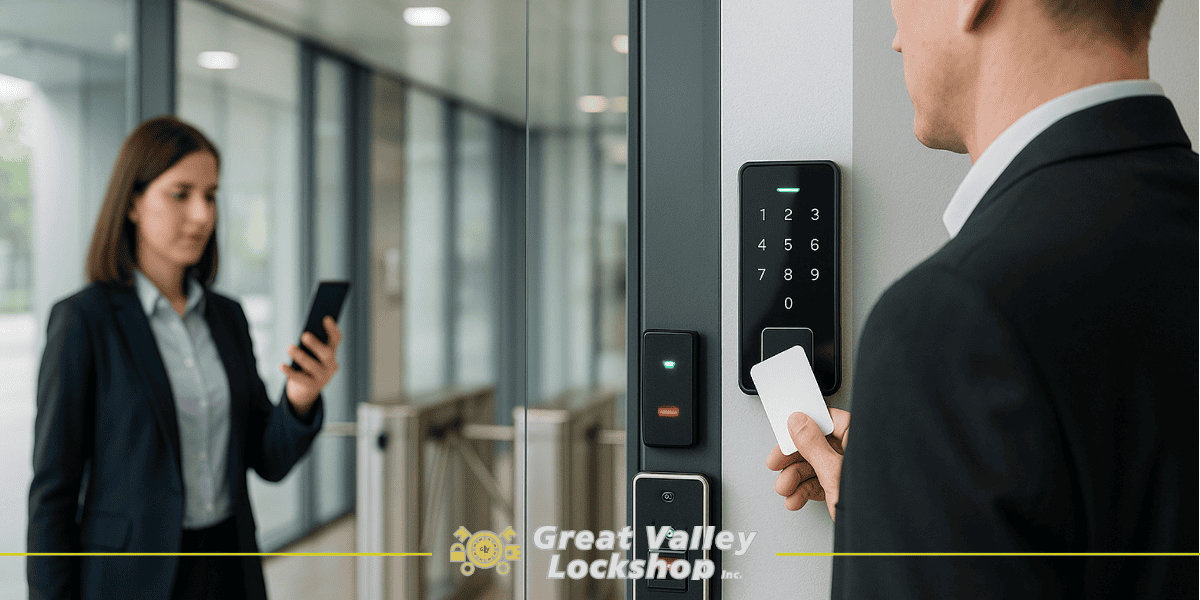
An access control system is a security solution that manages who can enter a space, physically or digitally, based on verified credentials. It replaces traditional locks and keys with electronic methods like key cards, mobile passes, PIN codes, or biometrics.
Here’s how a system like role-based access control works in practice: authorized users, such as employees, scan their credentials at access points to enter buildings, specific floors, or rooms. The system checks those credentials against a database and grants access only if permissions are valid.
For temporary or individual users like contractors or visitors, access is more restricted. They may be required to check in at a reception desk, provide identification, and receive limited-time or location-based access.
Why Is Access Control Important?
An access control system is important because it is a proactive security measure that helps deter, detect, and prevent unauthorized access. This is done by controlling who or what has access to a resource.
Here are some key reasons why mandatory access control systems are important:
- Restricts unauthorized entry. Only verified individuals can access specific areas, reducing the risk of intrusions.
- Customizable access levels. Employees, contractors, and visitors can all have tailored permissions based on roles or timeframes.
- Improves overall security. Keeps sensitive areas (like server rooms or executive offices) protected with an audit trail of who accessed what and when.
- Eliminates traditional key issues. No need to rekey locks if someone loses a key; access rights can be instantly revoked or updated.
- Supports compliance. Helps businesses meet industry-specific security and privacy and security standards by controlling and logging level of access to restricted areas.
- Enhances emergency response. Systems can lock down or open specific doors during emergencies for faster evacuation or containment.
- Integrates with other security tech. Works alongside CCTV, alarms, access control list, and visitor management systems for a more complete security setup.
Examples of Access Control Systems
Access control systems help control who can go in or out of a place like a building, a specific room, or even a digital space as part of access control policies.
They all aim to keep unauthorized people out while making it easy for approved users to get in. Here are some different types of access control systems used across different settings.
1. Electronic Keypad Lever Combo
The electronic keypad lever combo system combines a digital keypad with an optional proximity reader. It allows users to unlock doors using a PIN, access card, smart card or key fob. This provides flexibility for different user types. Also, the limit access setup is ideal for commercial environments with frequent foot traffic and layered access needs.
Great Valley Lockshop offers installation and setup for electronic keypad lever combos, helping businesses create customized access rules for security guards, vendors, system administrators, and visitors across different zones of the building.
2. Manual Commercial Keypad Locks
Manual keypad locks operate without wiring or batteries and are best suited for small businesses or home offices. They allow the code to be changed easily whenever access needs to be updated, making them a practical and low-maintenance solution.
Variations and key components include:
- Storeroom function. Door locks automatically upon closing.
- Deadbolt function. The door can remain unlocked during business hours.
- Knob + Deadbolt combo. Offers enhanced control and flexibility.
Great Valley Lockshop helps businesses select the appropriate manual keypad configuration based on traffic, access levels, and usage frequency.
Schools, colleges, and universities face complex access challenges across multiple buildings and user groups. This guide to campus access control covers how to centralize and secure entry across academic environments.
3. Server-Based Access Control
A server-based access control system uses dedicated servers and licensed software to manage access permissions across one or multiple sites. It is ideal for large organizations requiring centralized control and detailed activity tracking.
However, it requires ongoing IT support, server maintenance, and regular license renewals. Server-based solutions offer strong customization but are best for companies with the infrastructure to support them.
4. Biometric Door Readers
Biometric readers use unique physical traits such as fingerprints, iris scans, or facial recognition to verify identity. They offer a high level of security and are often used in sensitive or restricted-access areas.
These systems eliminate the risk of lost credentials but involve higher setup costs and may require additional maintenance to ensure accurate operation.
5. Mobile Credentials
Mobile access allows users to unlock doors via their smartphones using an app. This system enables touchless entry, real-time access updates, and remote management, making it suitable for modern offices or facilities with dynamic access needs.
Administrators can quickly grant or revoke access and avoid the logistical challenges of issuing physical cards or keys.
Access control systems vary widely in complexity, cost, and use case. Choosing the right system depends on the size of your facility, the type of users, and the level of security required.
For professional advice, installation, and support, Great Valley Lockshop offers tailored access control solutions for businesses across Pennsylvania.
If you’re considering a more flexible and remote-friendly way to manage building access, this article on cloud-based access control explains how it works and why it’s becoming a popular option for businesses looking to streamline security across multiple locations.
Everyday Use Cases for Access Control Systems
Access control is not limited just to big corporations or high-security labs. The real beauty of these systems is how flexible they are; they can be as simple or advanced as you need, depending on your space. Here’s how they show up in real-world settings:
1. Offices and Commercial Buildings
In most workplaces, not everyone needs access to everything. Maybe your team should only reach the second floor, while IT has access to the server room, and vendors should only get into the loading area.
Access control helps you sort all that out without juggling multiple physical keys. You can set permissions by role, time of day, or even specific doors. It’s cleaner, easier to manage, and you always know who’s coming and going.
Not every building needs a complete system overhaul to improve security. Learn how retrofit access control systems allow you to upgrade existing hardware with minimal disruption and cost.
2. Multi-Tenant Properties
If you manage a space with multiple businesses or residents, you already know how important it is to keep things secure and convenient.
With a physical access control system, each tenant gets their unique credentials. Shared areas like gyms or mailrooms can have limited access, and everything’s trackable if there’s ever an issue, accordingly with the principle of least privilege. It just makes life easier for you and the people who live or work there.
For landlords, facility managers, or commercial property owners, this breakdown of electronic access control benefits outlines how it improves tenant safety, reduces operational hassle, and supports long-term value.
3. Home Offices
Working from home has changed how we think about security. If your office holds sensitive client files, expensive gear, or confidential info, it makes sense to secure it properly.
Adding a keypad lock or access reader to your home office door gives you a bit more control, especially if you live with others or have frequent visitors. It’s a simple way to draw a clear line between personal and professional space.
4. Schools and Educational Institutions
Campuses require tighter control to protect students, staff, and valuable resources. Access control systems can secure classrooms, libraries, labs, and administrative offices. Features like biometric access, dual-factor entry, and detailed access logs help prevent unauthorized entry and keep people safe.
If you’re dealing with compliance requirements (such as FERPA or state regulations), this level of security is essential.
Top 4 Access Control System Best Practices
Access systems are a strong layer of protection, but like any system, they’re only as effective as their management. Here are four best practices every organization should follow:
1. Regularly Updating User Credentials
One of the most common oversights is forgetting to remove access when someone no longer needs it. It could be an employee who left the company, a contractor whose project ended, or a guest pass that should’ve expired weeks ago. Stale credentials can create unnecessary vulnerabilities.
Make it a habit to audit your access list regularly. Remove inactive users, update permissions when roles shift, and reset access codes periodically. It’s a simple step that keeps your system tight and your spaces secure.
2. Integrating with Alarms and CCTV
Access control becomes significantly more powerful when it’s part of a larger security system. Integrating it with alarm systems and surveillance cameras means you’re not just tracking who’s entering, you’re also seeing how they behave once they’re inside.
For example, if someone forces a door or tries to swipe into an unauthorized area, the system can trigger an alert, activate cameras, or even notify your team in real-time. It’s all about building layers that work together rather than relying on a single line of defense.
3. Choose the Right System Based on Risk Level
A home office storing a few files doesn’t require biometric security access, just like a data center shouldn’t rely on a basic keypad lock.
The key is to assess the value of what you’re protecting and choose your access control setup accordingly. Look at foot traffic, sensitivity of materials, and potential impact of a breach. A good system balances convenience with the right level of control.
4. Maintain Logs and Access Audits
Every time someone uses an access credential, it leaves a digital footprint. These logs are crucial during audits, compliance checks, or in the event of a security breaches.
Make sure your system keeps detailed records, and don’t let them collect dust. Regularly review logs to spot unusual patterns or unauthorized attempts.
Upgrade To Modern Access Control With Great Valley Lockshop
Home and business security today is not compromised by force; it is often compromised by access. Outdated locks, shared keys, or unmanaged credentials quietly open the door to risk.
That’s where access control systems come in. They give you the power to decide who gets in, when, and under what conditions.
But getting the system right matters. You need to find the setup that fits your space, your team, and your day-to-day operations. And that’s where working with the right partner can make all the difference. Here’s how Great Valley Lockshop works:
- Tailored keyless entry solutions. Every property is different. Great Valley Lockshop helps you figure out which type of keyless system, like card access, keypad, or combo, makes the most sense for your business.
- Quick, professional installation. Our team handles the install efficiently, so you’re not stuck waiting around or figuring it out on your own. You get reliable results without the hassle.
- In-person advice and product support. You can stop by our Malvern showroom, ask questions, and see products in person before making a decision. It’s helpful, especially if you’re not sure what will work best.
Request a free estimate to explore the right access control setup for your space.